Our top picks at a glance
A gaming laptop is the awkward purchase in tech: expensive enough to hurt, bulky enough that sending one back is a chore, and specified in a way that lets two machines with the same graphics chip perform like different products. The expensive mistake is buying the badge. An RTX 4070 badge on a wattage-starved chassis can run closer to a healthy RTX 4060 than to a full-power 4070, and the listing headline will never tell you that.
What separates the ten below is where each one puts the money. The ASUS TUF Gaming A16 leads because it refuses the compromise: a full-power RTX 4070, a fast QHD+ screen and a 16-core processor in one box. Others trade deliberately, spending on a sharper screen, a lighter chassis, a bigger battery or double the memory instead of the stronger graphics chip.
The decision rule is simple. Read the wattage before the badge, then pick the trade you will actually feel: frames, screen, weight or memory. Every machine here was checked against the $1500 cap in the configuration reviewed, and every spec below can be traced to the maker or the listing itself.
 ASUS TUF Gaming A16Best overallCheck price on Amazon
 Dell G16Fastest screen in the guideCheck price on Amazon
 ASUS ROG Strix G16Best RTX 4060 for build and coolingCheck price on Amazon
 Acer Predator Helios 16Sharpest screen under the capCheck price on Amazon
 Gigabyte AORUS 16XBest battery and memory headroomCheck price on Amazon
 Acer Predator Helios Neo 16Best value full-power RTX 4060Check price on Amazon
 HP OMEN Transcend 16Lightest in the guideCheck price on Amazon
 MSI Katana A15 AIMost memory in an RTX 4070 machineCheck price on Amazon
 MSI Katana 15Cheapest route to an RTX 4070Check price on Amazon
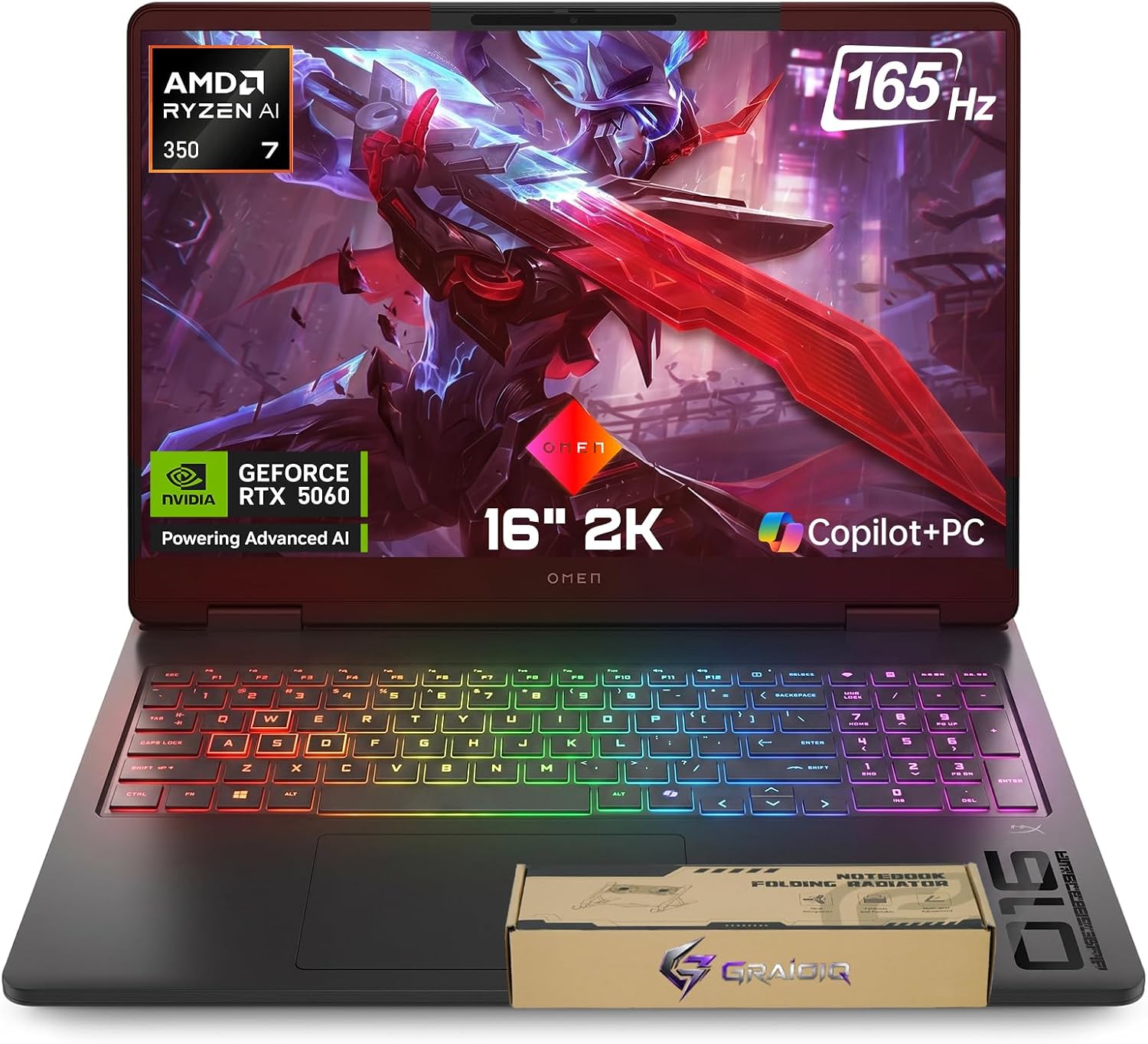 HP Victus 16Biggest memory and storage haulCheck price on Amazon
Prices move up and down on Amazon, so we never print a price here that could be stale by the time you read it. Use the price check button to see the current price.
The Best Gaming Laptop Under 1500, Reviewed in Full
Every review below sticks to what can be verified: the maker's own figures and the listing's own configuration, argued in plain terms.
ASUS TUF Gaming A16
Most laptops at this price make you choose between the strong graphics chip and everything else. This one declines the bargain. The RTX 4070 runs at the full 140W the chip allows, the Ryzen 9 7940HX brings 16 full-power cores for games that lean on the processor and for rendering work, and the QHD+ panel at 165Hz with G-SYNC is sharp enough that the GPU has something worth feeding. A 90Wh battery and two memory slots round out a machine with no obvious weak corner. Buy it if you want the strongest all-round specification under the cap in a single purchase. Skip it if your desk already has a good monitor and you would rather spend the same money on memory and storage instead.
Pros
- RTX 4070 at the full 140W, so the badge delivers its real performance
- QHD+ 165Hz screen with G-SYNC matched well to the graphics power
- 16-core Ryzen 9 HX processor suits creation work as well as games
- 90Wh battery, large for a 16 inch gaming chassis
Cons
- 16GB of RAM is merely adequate next to the rest of the specification
- At 5.0 lb plus its power brick, it is a deliberate carry, not a light one
Dell G16
Nothing else here refreshes like this. The 240Hz QHD+ panel is the reason to buy the Dell, and it is backed by hardware that can use it: a full-power RTX 4070 and a Core i9 HX processor with cores to spare for competitive titles that bottleneck on the CPU long before the GPU. The panel also covers the full DCI-P3 colour range at 500 nits, so it doubles as a credible editing screen. The trade is mass. At 6.3 lb this is a desk anchor, and the fans have a big thermal job to do. Buy it if high-refresh competitive play at 1440p is your main event. Skip it if the laptop has to travel weekly.
Pros
- 240Hz refresh, the fastest panel in this guide by a wide margin
- Full-power RTX 4070 and a Core i9 HX processor behind it
- 100% DCI-P3 coverage and 500 nits brightness suit video and photo work
- Onsite service in the warranty, so a fault does not mean shipping the machine away
Cons
- 6.3 lb before the power brick, the heaviest machine here
- Cooling a full-power HX chip and GPU in one chassis means audible fans under load
ASUS ROG Strix G16
The Strix makes the case that the smarter spend is not always the bigger GPU. Its RTX 4060 runs at the full 140W, so it gives away less to the 4070 machines than the badge gap suggests, and the ROG chassis spends the savings on cooling headroom, a sturdy build and a clean 165Hz FHD+ screen with full sRGB coverage. Both memory slots and both drive bays are accessible, which is how a laptop like this stays useful in year four. Buy it if you play at 1080p or 1200p and value a cool, quiet, well-built machine over a paper spec advantage. Skip it if 1440p gaming is the goal; the A16 above is built for that.
Pros
- RTX 4060 at the full 140W, closing much of the gap to low-power 4070 machines
- Two SO-DIMM slots and two M.2 bays keep upgrades open
- 165Hz panel with 100% sRGB coverage
- 90Wh battery and a 1 year warranty
Cons
- FHD+ resolution is the ceiling; no QHD option in this configuration
- 5.5 lb is mid-pack, neither anchor nor featherweight
Acer Predator Helios 16
Acer's flagship Predator aims its budget at the panel and the processor. The WQXGA screen runs at 165Hz with G-SYNC and a 3ms response, the Core i7-13700HX is a genuine desktop-class HX chip, and the RTX 4060 behind it runs at the full 140W rather than a trimmed figure. Storage starts at 1TB with a second M.2 slot waiting, and memory can grow to 32GB. It sits exactly at the cap, so it is the pick that spends every cent. Buy it if screen quality and CPU muscle matter more to you than the 4070 badge. Skip it if you want headroom left in the budget for a memory upgrade on day one.
Pros
- WQXGA 165Hz G-SYNC panel, the sharpest screen in the RTX 4060 group
- Full-power 140W RTX 4060 and an HX-series processor
- 1TB storage fitted, with a second M.2 slot free
- Memory expandable to 32GB across two slots
Cons
- 5.73 lb, and the chassis is built deep to cool the hardware
- Sits at the very top of the budget, leaving nothing spare
Gigabyte AORUS 16X
Gigabyte answers a different question: what does the budget buy when memory and battery lead? You get 32GB of RAM out of the box, double most of this guide, a 99Wh battery that is the largest capacity aviation rules allow, and still a full-power 140W RTX 4060 driving a WQXGA 165Hz screen. The 14th gen HX processor keeps it current, and at just over 5 lb it is the lightest of the big-screen full-power machines here. Buy it if you keep dozens of browser tabs and a game open at once, or work away from the socket between sessions. Skip it if raw graphics frames are the only metric you care about.
Pros
- 32GB of RAM fitted, double the guide's usual 16GB
- 99Wh battery, the biggest in this line-up
- Full-power 140W RTX 4060 with a WQXGA 165Hz screen
- Lightest of the 16 inch full-power machines at 5.07 lb
Cons
- RTX 4060 rather than 4070, so outright frame rates sit a tier below the top two
- Gigabyte's US support network is thinner than Dell's or HP's
Acer Predator Helios Neo 16
The Neo is the value play that refuses to cut the corner that matters. The RTX 4060 still gets its full 140W, the cooling uses metal AeroBlade fans with liquid metal on the processor, and the port selection runs to HDMI 2.1 and twin Thunderbolt 4. What gives is storage and screen resolution: 512GB fills quickly with modern game installs, and the panel is FHD+ rather than QHD. Both compromises are fixable or livable; the second M.2 slot sits empty, waiting for the drive you add later. Buy it if you want full-power gaming for the least money in this guide. Skip it if you will never open a laptop to upgrade it.
Pros
- Full 140W RTX 4060 at the lowest price point in this guide
- Liquid metal cooling and metal fans, hardware borrowed from the flagship line
- Empty second M.2 slot makes the storage fix cheap and simple
- HDMI 2.1 and two Thunderbolt 4 ports
Cons
- 512GB of storage is tight for a modern game library
- FHD+ screen where rivals at the cap offer QHD
HP OMEN Transcend 16
Every other machine here asks your bag to make room. The Transcend is built around the opposite idea: a full HX processor and RTX 4060 graphics in a chassis that starts at 4.62 lb, the lightest in this guide by a clear margin, cooled by a vapor chamber rather than a thicket of heat pipes. The screen is a 165Hz WUXGA panel, storage a full 1TB, and the battery an 83Wh unit. One gap to know before buying: There is no graphics wattage figure for this configuration, so its RTX 4060 cannot be lined up against the 140W machines on paper. Buy it if the laptop travels daily and still has to game at night. Skip it if it will live on one desk, where heavier machines give you more for the money.
Pros
- 4.62 lb starting weight, the lightest machine in the guide
- Vapor chamber cooling in a slim chassis
- Core i7 HX processor, not a low-power chip wearing a gaming badge
- 1TB of storage fitted as standard
Cons
- No published graphics wattage figure for this configuration
- Slim chassis leave less thermal headroom than the deep Predator and Strix designs
MSI Katana A15 AI
MSI spends this budget in an unusual order: RTX 4070 first, then 32GB of memory, then a QHD screen, and whatever is left on the chassis. For the buyer it targets, the order works. The Ryzen 9 8945HS is an efficient chip that keeps its pace on the move, the QHD panel at 165Hz gives the 4070 a proper workload, and 32GB of RAM means the machine never swaps to disk mid-game or mid-render. The compromises are physical: a plastic shell and a small 53.5Wh battery that treats the power socket as home. Buy it if you want 4070 graphics and generous memory without touching the cap. Skip it if battery life or build feel rank high on your list.
Pros
- RTX 4070 paired with 32GB of RAM, a rare combination under the cap
- QHD 165Hz screen in a lighter 15.6 inch chassis
- Ryzen 9 HS processor balances gaming power with efficiency
- Cooler Boost 5 cooling with dual fans
Cons
- 53.5Wh battery is small; expect short sessions away from the socket
- Plastic build feels a step below the ROG and Predator machines
MSI Katana 15
This is the wattage lesson with a price attached. The Katana 15 carries a genuine RTX 4070, but MSI caps it at 105W, well short of the 140W the same chip gets in the TUF A16 and Dell G16, and the performance gap follows the watts more than the badge. Around that compromise sits a sensible machine: a 144Hz FHD screen the capped GPU can feed properly, 1TB of storage, and a weight just under 5 lb. Buy it if your games are 1080p titles and the 4070 badge at the lowest possible spend is the whole point. Skip it if you can stretch to a full-power machine; the difference is real and permanent.
Pros
- An RTX 4070 at the lowest spend in this guide
- 144Hz FHD panel is well matched to what the capped GPU can deliver
- 1TB of storage fitted, no immediate upgrade needed
- Under 5 lb, easy to move between rooms and desks
Cons
- 105W graphics cap gives back much of the 4070 advantage
- 53.5Wh battery, the joint smallest here
HP Victus 16
Victus is HP's value line, and this configuration leans into volume: an RTX 4070, 64GB of memory and 2TB of storage, figures nothing else here approaches. The Ryzen 7 8845HS is an efficient eight-core chip, a second drive bay waits empty, and the 144Hz screen covers everyday gaming well at 300 nits. What the money does not buy is finish. The shell is plastic, the panel is FHD with modest colour reach, and there is no published wattage figure for the graphics. Buy it if your workload eats memory and disk space, such as big project files, virtual machines or a huge installed library. Skip it if screen quality and build are why you are spending at this level.
Pros
- 64GB of RAM and 2TB of storage, far beyond anything else in the guide
- RTX 4070 graphics with an efficient Ryzen 7 processor
- Second NVMe bay free for yet more storage
- HDMI 2.1 output for a fast external monitor or TV
Cons
- FHD 144Hz panel at 300 nits is the weakest screen here for creative work
- Plastic value-line build, with flex the premium lines have engineered out
RTX 4070 or RTX 4060: Where the Money Works Harder
Under the cap, the budget lands in one of two places. Five of these machines spend it on the RTX 4070; five spend it on the RTX 4060 and put the difference into the screen, the cooling, the battery or the build. Neither route is automatically right, because the badge is only half the story. Both tiers sit in the NVIDIA GeForce RTX laptop range with DLSS 3 support, and both ship with 8GB of graphics memory here, so the honest comparison is wattage, screen and chassis, not the number on the box.
Wattage is where the badge stops meaning anything. The RTX 4070 in the TUF Gaming A16 and the Dell G16 runs at 140W and delivers the full step up. The same chip in the MSI Katana 15 is capped at 105W, and at that ceiling it performs far closer to the 140W RTX 4060 machines in this guide than to its full-power namesakes. A 4060 at its full 140W, as in the Strix G16, both Predators and the AORUS 16X, is a stronger buy than a starved 4070 at the same money.
| Point of difference | Spend on the GPU: RTX 4070 | Spend on the balance: RTX 4060 |
|---|---|---|
| Graphics power | RTX 4070, 8GB, in every case | RTX 4060, 8GB, in every case |
| Wattage to check | 140W in the TUF A16 and Dell G16; 105W in the Katana 15 | 140W across the Strix G16, both Predators and the AORUS 16X |
| Screen you get | QHD+ at 165Hz, up to the Dell's 240Hz | FHD+ 165Hz up to WQXGA 165Hz on the Helios 16 and AORUS 16X |
| Cooling and build | Full-power chips demand deep chassis; the Dell weighs 6.3 lb | Slimmer designs stay viable; the OMEN Transcend 16 weighs 4.62 lb |
| Memory and storage | 16GB and 1TB typical; the Katana A15 AI breaks ranks with 32GB | 16GB typical; the AORUS 16X fits 32GB and a 99Wh battery |
| Best suited to | 1440p gaming and high-refresh competitive play | 1080p to 1440p gaming with better screens, batteries or builds |
Choose the RTX 4070 route if you play competitive shooters and want the Dell G16's 240Hz panel fed properly, or if 1440p story games at high settings are the main use, where the TUF Gaming A16 is the balanced pick. Choose the RTX 4060 route if your games live at 1080p, if you edit photos or video and would rather have the Helios 16's WQXGA screen, or if the machine travels and the OMEN Transcend 16's weight matters more than a badge. And whichever route you take, treat the Katana 15 as the standing warning: check the wattage figure before you pay for a GPU name.
Also considered
Lenovo Legion Pro 5i: a superb machine that simply lives above this budget; current listings sit far over the cap, so it never entered the ten.
Lenovo Legion 5i: tracked below the cap in RTX 4060 form, but no verifiable US Amazon listing with a firm configuration could be pinned down for a buy link, so it stays a near miss.
Alienware m16 R2: current listings price it well above the cap, and its in-budget moments are too fleeting to build a recommendation on.
Razer Blade 14: the most portable premium gaming laptop of its generation, and priced like it; every US configuration found sits over the cap.
Gigabyte AORUS 16X (RTX 4070 version): the same chassis as our fifth pick with the stronger chip, priced over the cap; the RTX 4060 version is the one that fits this guide.
Who this guide is for
The esports player chasing high refresh Your buying order is panel first, wattage second, everything else after. The Dell G16's 240Hz QHD+ screen with a full-power RTX 4070 behind it is the only combination here built purely for your use, and the TUF Gaming A16 at 165Hz is the lighter alternative. What you should not do is buy a capped GPU and a modest panel, which is the Katana 15's bargain, and expect competitive frame rates to follow the badge.
The student who needs one machine for lectures and gaming Weight and battery decide whether a gaming laptop survives a degree. The HP OMEN Transcend 16 at 4.62 lb and the Gigabyte AORUS 16X with its 99Wh battery are the two that respect a backpack and a library session, and both still game properly at night. Budget for a padded sleeve and keep the power brick in the bag; even the efficient machines here game on the charger, not the battery.
The creator who edits video and games on the same laptop You need colour accuracy first and frames second. The Dell G16 covers the full DCI-P3 range at 500 nits and pairs it with a 16-core-class HX processor for exports, while the Acer Predator Helios 16 offers the sharp WQXGA screen at 165Hz. Memory matters to your timelines as much as to games, so the 32GB in the AORUS 16X and the Katana A15 AI deserves a look before the 16GB machines.
What to look for when buying a gaming laptop
GPU wattage before GPU name: the same RTX 4070 appears at 140W and at 105W in this guide, and the lower figure performs like a different, cheaper chip. Makers who publish the number earn trust; the ROG Strix specification page shows the honest format, a base figure plus the Dynamic Boost headroom on top.
A screen matched to the graphics: a 165Hz or 240Hz panel is wasted on a capped GPU, and a strong GPU is wasted on a dim 144Hz FHD screen. Match the two, and check brightness and colour coverage if any creative work is planned.
Cooling design, not just fan count: vapor chambers, liquid metal and metal fan blades are the hardware that decides whether full power survives a two hour session. Thin chassis and full-power chips pull in opposite directions, so decide which you value before you buy.
Upgrade slots you will actually use: two SO-DIMM slots and a second M.2 bay turn a 16GB, 512GB machine into a 32GB, 3TB machine later for the price of the parts. The Predator Helios Neo 16 ships with its second bay empty for exactly this reason.
Ports with the features named, not just the version: an HDMI 2.1 label covers a wide range of actual capabilities, and the HDMI Licensing Administrator's own guidance makes the point that the supported features are what count. Check for the specific output you need, such as 4K at high refresh to a TV, before assuming any port delivers it.
Sizes, fit and space for a gaming laptop
Screen size is the first fit decision. The 15.6 inch machines here, the two MSI Katanas, slip into standard laptop sleeves and suit smaller desks and lecture hall trays. The 16 and 16.1 inch models trade a little portability for panels that are visibly easier on the eyes over long sessions, and all of them need a bag rated for 16 inch laptops rather than a snug 15 inch sleeve.
Desk depth is the second. These chassis run roughly 25 to 28 cm front to back, and every one of them exhausts hot air through the rear or sides, so plan for a hand's width of clear space behind the machine rather than pushing it against a wall. Weight spans 4.62 lb for the OMEN Transcend 16 to 6.3 lb for the Dell G16, and the power brick adds real heft on top; the Katana's 200W adapter alone adds about three quarters of a kilogram to the bag. If the laptop moves daily, weigh the whole kit, not the headline figure.
What gaming laptops at this level cost to own
The purchase price is the start, not the total. Cooling is the ongoing theme: full-power chips in tight chassis collect dust, and a yearly clean with compressed air, plus fresh thermal paste once the warranty has run its course, keeps frame rates where they started. Fans are the wear item most likely to announce themselves first, and they are also the part most affected by running the machine flat against bedding or a desk wall.
Upgrades are the friendly cost. Because most of these machines use standard SO-DIMM memory and M.2 drives, growing from 16GB to 32GB of RAM or adding a second SSD later is a parts-only expense, far cheaper than buying the capacity up front. Electricity is the quiet cost: adapters here run from 200W to 280W, and long daily gaming sessions on a full-power HX machine will show up on a household bill in a way an ultrabook never does. Battery wear follows the same logic; the 53.5Wh packs in the MSI machines will feel their age sooner than the AORUS 16X's 99Wh unit.
Warranty is where the brands genuinely differ. One year of cover is the norm among these ten, with Dell's onsite service the standout because a technician comes to you. Accidental damage protection is a separate add-on from each brand, priced by term, and it has to be bought early, usually within a set window after purchase; read the window before the machine's first trip. Finally, keep the box and packaging until the return period has fully closed: a 16 inch gaming laptop is a large, heavy return, and carriers and retailers both expect the original packaging for a painless send-back.
Common mistakes when buying a gaming laptop
Comparing GPU names without checking wattage: a 105W RTX 4070 and a 140W RTX 4070 share a badge and little else. The wattage figure is the single most valuable line in any gaming laptop specification.
Buying 512GB of storage for a modern library: headline game installs now run past 100GB each, so a small drive fills within months. Either start at 1TB or confirm the machine has a free M.2 bay, as the Predator Helios Neo 16 does.
Throwing the box away on day one: returns and warranty shipping for a machine this size are far harder without the original packaging and foam. Store it flat until the return window and the first month of use have passed.
Trusting a port's version label: HDMI 2.1 on the box does not guarantee the specific high-refresh or variable refresh features you want on a TV or monitor. Verify the exact feature, not the version number.
Ignoring the power brick in the weight: the laptop figure excludes the adapter, which on the larger machines is a substantial brick. For a daily carry, the honest weight is laptop plus brick plus sleeve.
Gaming laptop pros and cons
Pros - Desktop-class processors and graphics in a machine that fits in a bag - High-refresh screens, up to 240Hz here, that no office laptop offers - Memory and storage that can still be upgraded years after purchase - One machine covers gaming, study, work and creation without a second purchase
Cons - Fan noise under load is part of the deal at full power - Battery life while gaming is short; the charger is effectively mandatory - Weight, brick included, rules out effortless daily carrying for most models - The strongest configurations sit exactly at the cap, leaving no room for extras
Who should not buy a gaming laptop at this level
If your day is lectures, libraries and trains, and gaming means an hour of light titles in the evening, this entire category is the wrong tool: a thin laptop with integrated graphics will be lighter, quieter and cheaper, and it will still be charged at 4pm. The same goes if you need a silent machine for recording or shared rooms, if you want to game at 4K on the internal screen, or if your budget has to stretch to a monitor, keyboard and desk setup as well. Money at this level buys gaming power and nothing else; spend it only if gaming power is the thing you actually lack.
Best Gaming Laptop Under 1500: Frequently Asked Questions
Is an RTX 4070 laptop worth it over an RTX 4060 under $1500?
At full power, yes: a 140W RTX 4070, as in the TUF Gaming A16 and Dell G16, is a real step up for 1440p gaming. At 105W, as in the MSI Katana 15, the advantage shrinks toward the full-power RTX 4060 machines, and the better screen or build of a 4060 model can be the smarter spend. The wattage figure decides which answer applies.
Does GPU wattage really change gaming performance?
It changes it more than any other single figure on the spec sheet. The graphics chip's power ceiling sets how fast it can run for sustained periods, so the same RTX 4070 at 140W and at 105W behaves like two different products in longer sessions. Short peaks hide the gap; real gameplay does not.
How much RAM and storage should a gaming laptop under $1500 have?
Treat 16GB of RAM and 1TB of storage as the comfortable baseline at this price, which most of these ten meet. 32GB of RAM, as fitted to the AORUS 16X and Katana A15 AI, suits creators and heavy multitaskers, while 512GB of storage only makes sense when a free M.2 bay lets you add a second drive later.
Can I upgrade the RAM and storage later?
In most of these machines, yes. The ASUS, Acer, Gigabyte and Dell models here use two SO-DIMM memory slots and one or two M.2 drive bays, so memory and storage can grow with standard parts. Confirm the slot count for the exact model before buying, since a small number of slim designs solder the memory down.
What warranty cover is typical at this price?
One year of manufacturer cover is the norm across these ten, with Dell adding onsite service so faults are fixed at your address rather than by post. Accidental damage protection is not included at this level from any brand here; it is sold separately and usually has to be added within a limited window after purchase.
Keep researching
The ten above are the machines that passed the cap and the checks for this guide, but the wider catalogue keeps moving, and new configurations land through the year. Start from the category hubs to see the full range of laptop guides and the other gaming laptop coverage as it grows.
- Gaming laptop hub: every Pick Hearth gaming laptop guide in one place.
- Laptops & Tech hub: the wider category, from everyday laptops to creator machines.
More in Laptops & Tech: browse the full Laptops & Tech hub for the rest of our laptop and tech guides.
How we check gaming laptops like these
Read the full Pick Hearth methodology- Premise and specifications checked against the manufacturer's stated figures and the listing's own configuration, including GPU wattage wherever a figure is published.
- Limits, capacities and claims taken from manufacturer documents, never from other review sites.
- No brand can pay for a place in this guide, and affiliate earnings never change the order of the picks.
First published · Updated in place as products and specs change